 Live Beta — free to use during beta. Paid tiers are marked "Free during beta" until monetization launches.
Live Beta — free to use during beta. Paid tiers are marked "Free during beta" until monetization launches.
Live Beta — free to use during beta. Paid tiers are marked "Free during beta" until monetization launches.
Everything AI Cockpit can do — in one place. You bring your own AI subscriptions and API keys; Cockpit never resells model usage. The free core runs entirely on your machine.
play_arrow See it live — try the demo
Everything below is the manual toolkit — powerful, hands-on. These two make it fly itself — the paid features (with optional Everywhere for remote access); the rest is free with your own keys.
Type a goal in the prompt box, press flight PLAN, and Cockpit takes the yoke:
A shared local brain your agents orchestrate themselves on:
This round was about what Cockpit can read, and about showing its working. Each of these states its own limits in the product, not only here.
Add a book — epub, docx, odt, fb2 via pandoc, mobi and friends via calibre — and it is split into chapters and filed in the Library. Retrieval then pulls only the chapter that matches your question, so a 400-page book works with a 7B local model: it never sees more than the chapter it needs. The chapter list is shown before anything is written, because a bad split is obvious in a preview and invisible afterwards.
Ask a question; Cockpit searches several framings of it, reads the pages, and hands the agent a numbered source pack with one instruction: answer from these and cite them. The report is saved into the project as Markdown. The gathering is deterministic, so a small local model can write the report without driving a search loop it would get lost in. It reads the first pages a search engine returns — a fast survey, not a literature review, and it says so in the report. Currently paused: public search engines increasingly refuse automated queries, so on many networks the search step comes back empty. It will return as online research that runs only when your own library has nothing on the question, through a search provider you configure.
Select lines in a file, say what should change, and approve a diff. The agent never edits the file: it returns only the replacement for the lines you selected, and Cockpit splices it against the file as it is on disk. The anchor travels with the request, so the agent cannot drift onto a similar-looking passage elsewhere.
Press once and talk. Cockpit listens, notices when you stop speaking, transcribes, sends, speaks the answer, and listens again. Silence ends your turn rather than a fixed timer, and the voice reads the answer, not the markup — code blocks and tables are stripped before they reach the speaker.
Text extraction loses whatever was never text: diagrams, scans, drawn tables, handwriting. Cockpit can render the pages themselves and hand those to an agent that can see, so a page is read as a page.
Each agent receives an image the way it can actually take one — one opens a file path itself, another takes an explicit image flag. Where an agent genuinely cannot see, Cockpit says so and falls back to a description, because a CLI that quietly invents a description of an image it never received is worse than an error.
When retrieved material is put in front of an agent, the answer cites the passage it drew on. That is what makes the Library, Sources and Bookshelf trustworthy at a glance: you can tell whether an answer came from your own material or from the model's memory.
Tempo, key, duration and loudness, measured by local audio tooling rather than guessed by a language model — the same file gives the same numbers every time.
Hum, whistle or play a melody and get engraved sheet music as a PDF; give it notation and it plays the piece back with a piano-like voice. Lyrics can be attached. Transcription follows a single melodic line — not a full mix — and a photo or scan of sheet music is not input; that is optical music recognition, a different problem, and it is refused with an explanation rather than failing obscurely.
Directives say how agents should behave; Profile says who they are working with — units, language, timezone, how you like answers. It rides on every prompt, so the editor shows its size and caps it. “Remember this” on any message appends a single line.
The agent catalog is editable from inside Cockpit. Describe how a new CLI agent is invoked — binary, model flag, how it takes an image, how it likes its prompt — and test it from the editor before putting it on a card. No rebuild and no waiting for a Cockpit release.
The Everywhere relay used to identify a rig by a 32-character machine id: correct, unreadable, and useless once you have two machines. Each machine now carries a name you choose, and that is what the relay lists and what you pick from on your phone.
Every slot is a configurable pick (settings Configure supplier slots) with a [Free] flag on the no-cost options, and a one-click Stay Free that fills the cards with free agents on your local models. The app detects your real GPU/VRAM (AMD + NVIDIA) so a Broadcast to two local agents that won't co-fit runs them one at a time instead of thrashing.
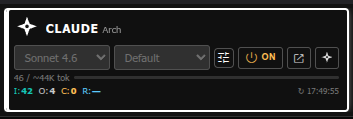

200ms polling, file-queue architecture. No WebSocket server, no persistent process. Survives Apache restarts. Works on standard shared Apache + PHP hosting.
All three agents propose plans independently. A synthesizer merges the votes. Execute step by step, with skip and edit per step. Four auto-run modes.

Agents write structured markers in their output.
%%CREATE%% writes files, %%WORKER:%%
calls cloud APIs, %%TOOL:%% runs local binaries,
%%PROPOSE:%% creates review proposals.
Place a COCKPIT.md file in any project folder.
Its contents are automatically prepended to every agent call —
no more repeating conventions and file locations every session.
Multi-model recipes that run several local models against one prompt automatically — no manual copy-pasting between models. Works with Ollama, LocalAI, or both at once (Dual mode runs steps on each server genuinely in parallel). 150 combos ship free with every install (50 per backend — Ollama, LocalAI, Dual); the other 555 (185 per backend) are free with a (free) Starter account — 705 total across 8 categories. Browse the full catalog →
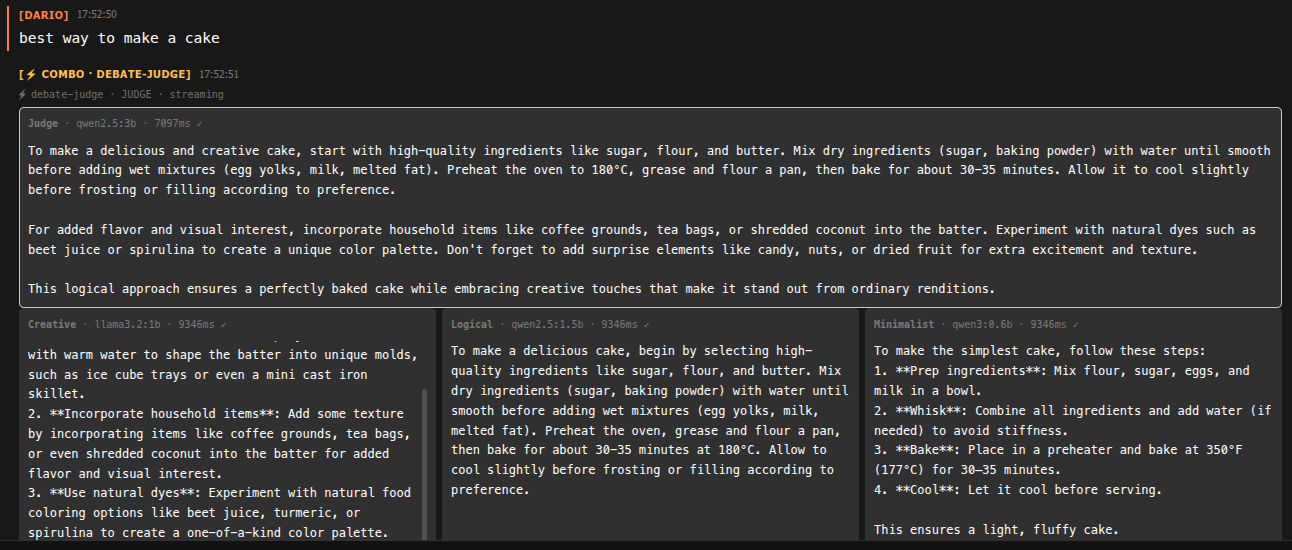
Several small models answer the same prompt independently — good for comparing takes or brainstorming, fast since they run concurrently.
Output of one model feeds the next as a pipeline — draft → critique → refine, all in one click.
Several candidates get generated, then a synthesizer model picks or merges the best answer. Optional shared-premise seeding keeps parallel creative combos on the same idea instead of diverging randomly.
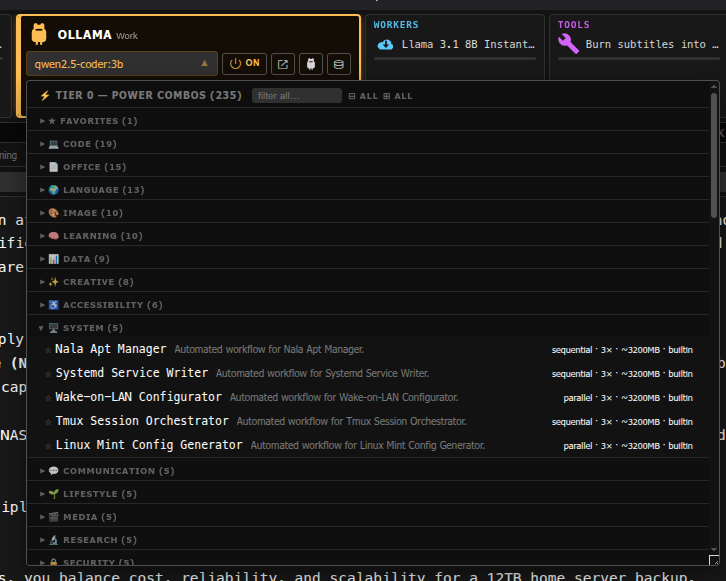
Tier-0 groups are collapsible by category, favorite-starred, filterable by keyword. Curated premium packs (coding, office, language, image, learning, data, creative, accessibility) are free with a Starter account from the Marketplace — see the Power Combo Store.
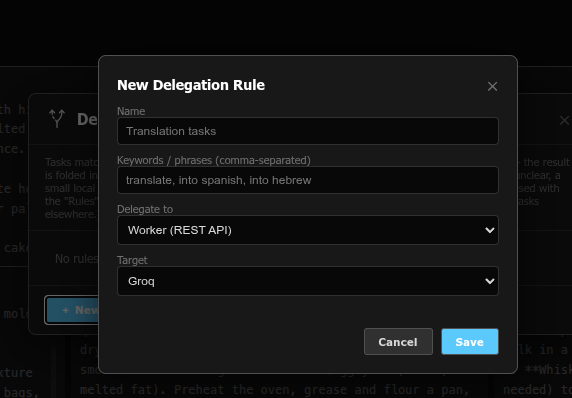
Define rules that match keywords or phrases in your prompt and automatically hand that task to a specific worker, combo, or Ollama model — regardless of which mode (Single, Pipeline, Broadcast, Plan) is currently active.
Keyword match first (instant, free). Ambiguous cases fall back to a small local classifier model. Still unclear? Cockpit asks you — it never silently guesses on a rule that doesn't clearly apply.
The delegated result is spliced back into your conversation and the original agent continues — you see exactly what got delegated and what came back, nothing happens invisibly.
Switch prompt modes instantly: Chat (conversational), Plan, Research, Build, Debug, Analyze, Report (HTML output). Style saved per chat, persists across reloads.
Shell-style ↑/↓ navigation through your last 50 prompts, per chat. Live draft preserved when navigating. Only triggers on the first/last line — multi-line editing works normally.
Agents propose code snippets using %%PROPOSE:snippet%%.
Review each proposal, approve to global library or current project,
or reject. Tolerates small model syntax variations.
One-click session summary: asks the active agent to produce a structured HTML summary of the conversation, saved to the chat's context folder for future reference.
On-demand translation of selected agent output text using local LibreTranslate. Dozens of languages, right-to-left ones (Arabic, Hebrew, Persian and others) included. No automatic UI translation — you translate specific text when you need it.
Export any chat as a ZIP (JSON + markdown transcript + manifest). Import from ZIP with automatic name conflict resolution.
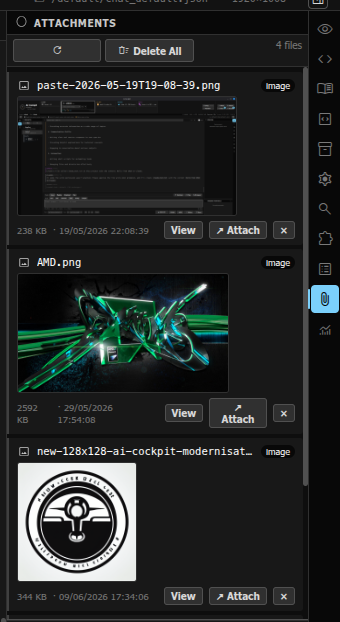
Paste an image from clipboard directly into the prompt textarea. It is automatically uploaded and routed through the same vision pipeline as file attachments.
Attachments saved to chat_<name>_contexts/
in the project folder. Cleaned up when the chat is deleted.
Viewable from the Attachments panel in the right sidebar.
Instant offline search over your local snippets, knowledge, and library items. Top 3 results offered as Pending Proposals — never silently injected (that wastes tokens).
Optional "Deep Search" button uses nomic-embed-text
via Ollama to find conceptually similar items even when keywords
don't match. Costs one Ollama call per search.
Feed any PDF, DOCX, EPUB, HTML, TXT, or CHM file. Extracts code snippets and knowledge items as structured JSON for RAG retrieval. Schedule overnight to avoid blocking the UI.
A dedicated left-panel Notes tab, separate from Library/Snippets — its own searchable store, optionally cross-linked into the same RAG context scope so notes and code snippets surface together.
Point Notepad at any local folder on your machine and it becomes a second, independent notes store — for people who already keep notes the OpenNote way and don't want a walled-garden format.
Groq, OpenRouter, HuggingFace, Together AI, DeepInfra. API keys encrypted at rest (AES-256-GCM, machine-bound). Per-provider rate-limit tracking with daily quota bars.
ffmpeg (9 presets), whisper.cpp (7 presets), pandoc (8 presets).
Run from within Cockpit or triggered automatically by agents
via %%TOOL:%% markers. Output inlined or path-referenced.
Brave Search API primary, DuckDuckGo fallback chain. Results shown in the Search panel and optionally injected as context into the next prompt.
One row of always-available tool buttons, independent of which agent or mode you're using:
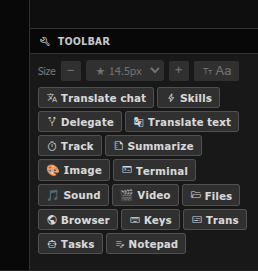
Translate the whole conversation or a selected snippet on demand, via local LibreTranslate — no automatic UI translation, only what you ask for.
Reusable prompt/instruction bundles an agent can load mid-conversation via a marker, instead of you re-typing the same context every time.
Opens the task auto-routing rule manager — see above.
Pin a running thread of decisions/TODOs alongside the chat, so long sessions don't lose the thread.
One click, structured HTML summary of the current session, saved for later reference.
Direct access to local media-generation and processing tools without leaving the chat.
A real terminal panel into your own machine — same server the agents run on, for when you want to do something yourself.
Files: a project-scoped file browser/picker. Browser: an embedded web view for quick lookups without tabbing away.
Manage your own cloud-provider API keys, encrypted at rest, machine-bound — never sent anywhere but the provider you're calling.
A lightweight task list panel, separate from chat history, for tracking what still needs doing across a project.
See RAG & Knowledge Base above — folder-backed notes independent of the internal Notes store.
Cockpit opens in a small native window of its own (GTK 3 + WebKit, written in Free Pascal, Apache-2.0 — the sources ship in the bundle and on the download page). No address bar, no tabs, no extensions: a program, not a browser page. On a machine without the WebKit runtime Cockpit falls back to a browser window, and everything below simply does not appear.
The close button, Alt+F4 and the dock's Quit all open the same Leaving Cockpit dialog as the Exit button: what is still running, and the choice to kill it, stop the agent sessions, wait, or leave. The window closes when you say so — never mid-job.
Brings Cockpit to the front from any application, puts it down again when it is already there, and starts it when it is not running: the window shows a boot screen, brings up the web server and the agent sessions, then loads the app.
A tray icon with Show / Minimise / Exit, and desktop notifications when an agent reply or a tool run finishes while you are working elsewhere — with an Open Cockpit button. Nothing pops up while the window is in front of you.
Drop a file on the prompt, choose one with Attach, or paste one copied in the file manager: it is attached by its path, not uploaded through the browser. Native file dialogs, open-folder / open-file / open-a-terminal-here buttons, agent sessions in a real terminal.
Any sidebar panel — Preview, Code, Attachments, Files, Usage — detaches into a separate window for the second monitor. Escape or Ctrl+W closes it; the main window carries on.
At every launch the window hashes the shipped files that decide what runs
(index.html, auth.php, paths.php, integrity_lib.php)
against the build manifest, and refuses to load the app when one differs — a tampered page
cannot vouch for itself. It also remembers its size, and runs fullscreen for a dedicated screen.
Sign-in without typing: the local login can be kept in your OS keyring
(GNOME Keyring / KWallet) instead of a file, and Cockpit's own login forms can be filled from
Bitwarden through the official bw CLI — the master password is
typed into bw's own prompt, never into Cockpit.
14 dark + 13 light + 9 mixed (dark chrome + light console). Includes Dracula, Nord, Monokai, One Dark, Gruvbox, Tokyo Night, Solarized, Catppuccin, and more.
Designed for red-green color deficiency. Uses blue, yellow, cyan, and orange exclusively — never red or green as the sole distinguishing factor. Auto-contrast safety net ensures readability on every theme.
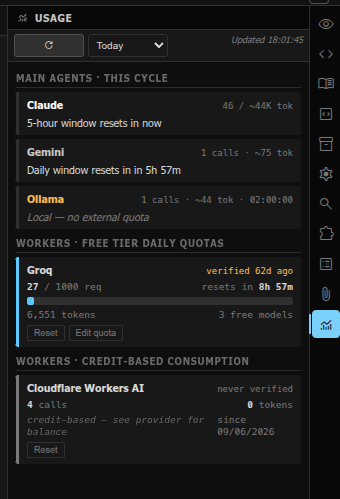
Every supplier card's token counts (Cards 1–3 plus Workers) read directly from their log files. Per-day / week / month / all-time ranges. Daily quota bars for cloud providers.
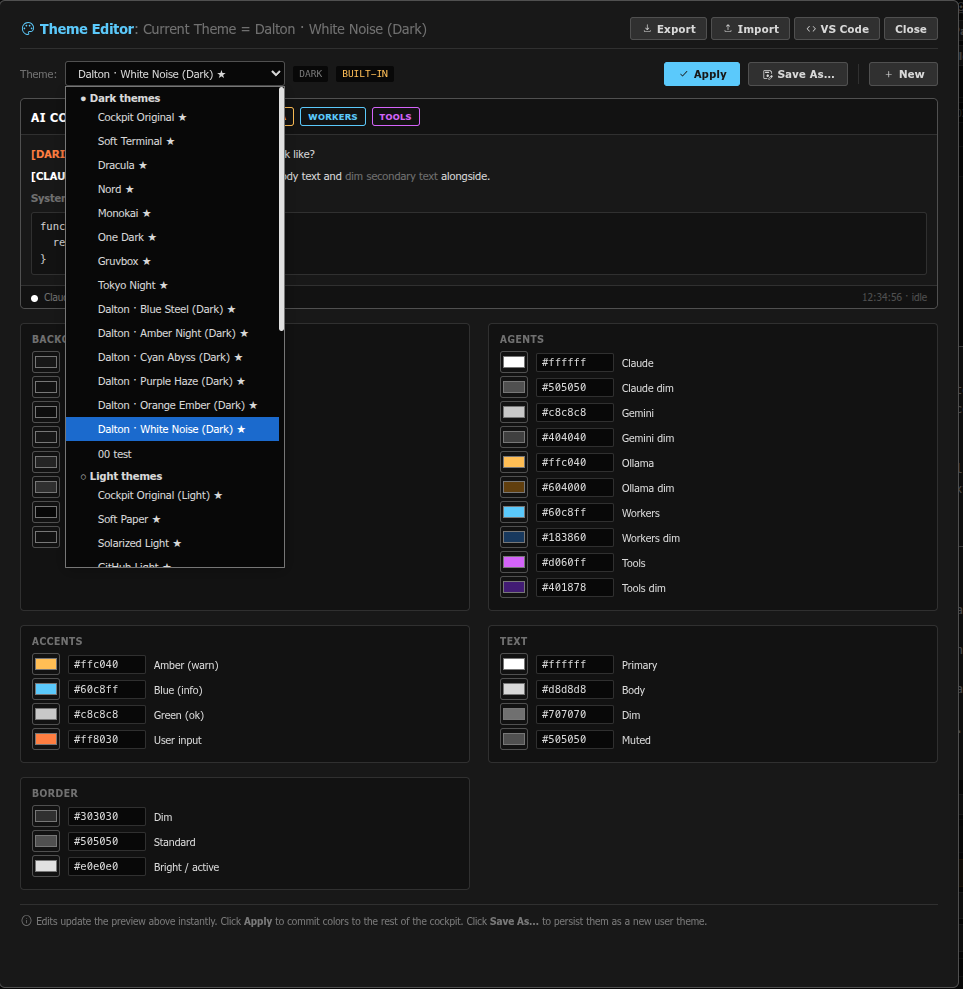
Not just a picker — a full theme editor. Every color is a swatch you can override, save as your own theme, and export/import as JSON.
No monthly fees. No data leaving your machine. Apache + PHP + Bash.
Download Free